
An incident from start to finish.
A tyre blows out on the Anhanguera highway, km 62. In six steps, KABINA takes the incident from report to record, with a quote before authorisation and the fleet's rule deciding the approval limit.
Product demonstration screens. Simulated data.
The six steps
- Driver
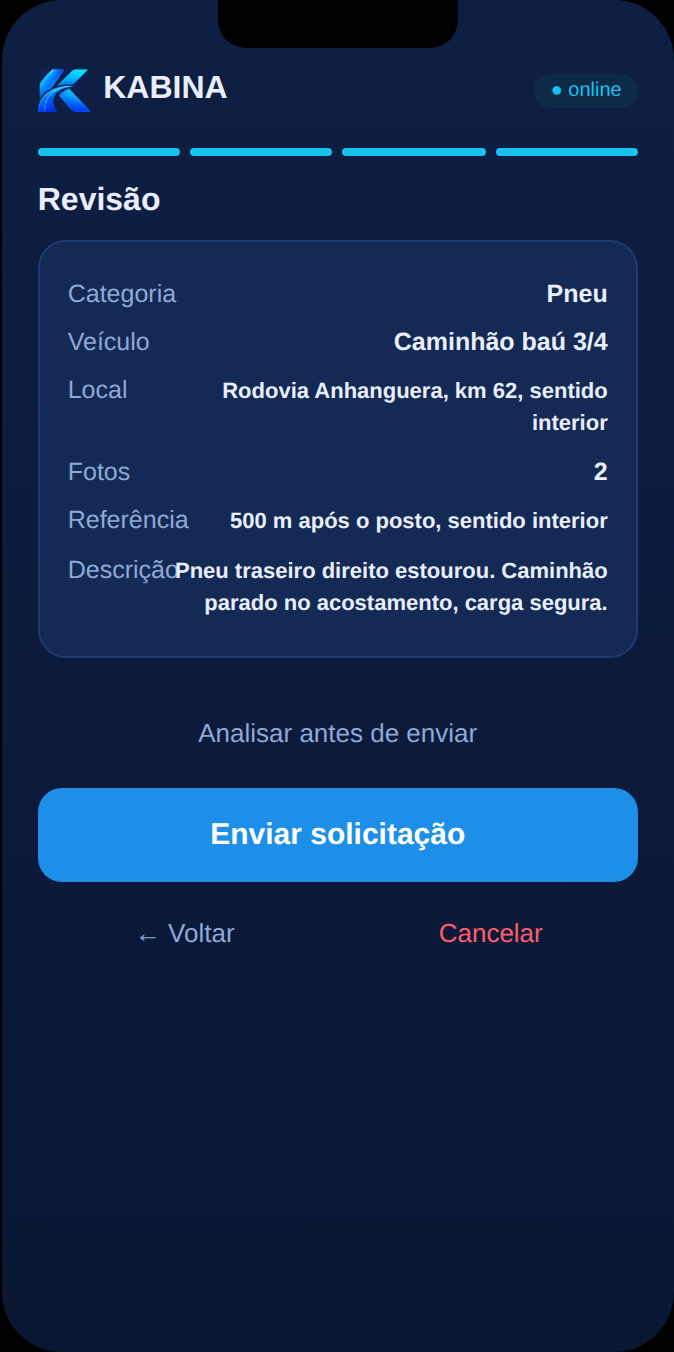
Request
The driver requests help on WhatsApp: problem category, location on the highway, photos and a short description. Nothing to install. In the demonstration, the journey appears on a phone screen.
- Platform
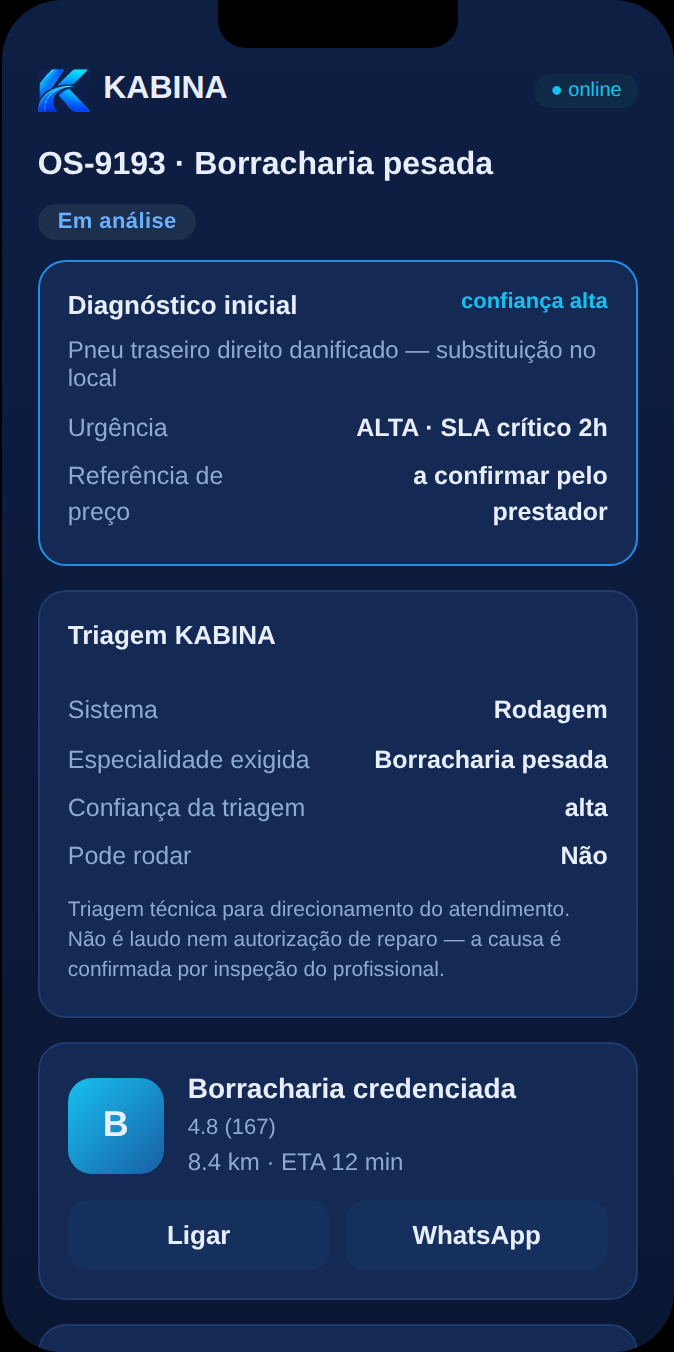
Analysis
From the report and the photos, the platform generates the initial hypothesis, sets urgency and specialty and selects a qualified nearby provider, according to the fleet's rule.
- Provider
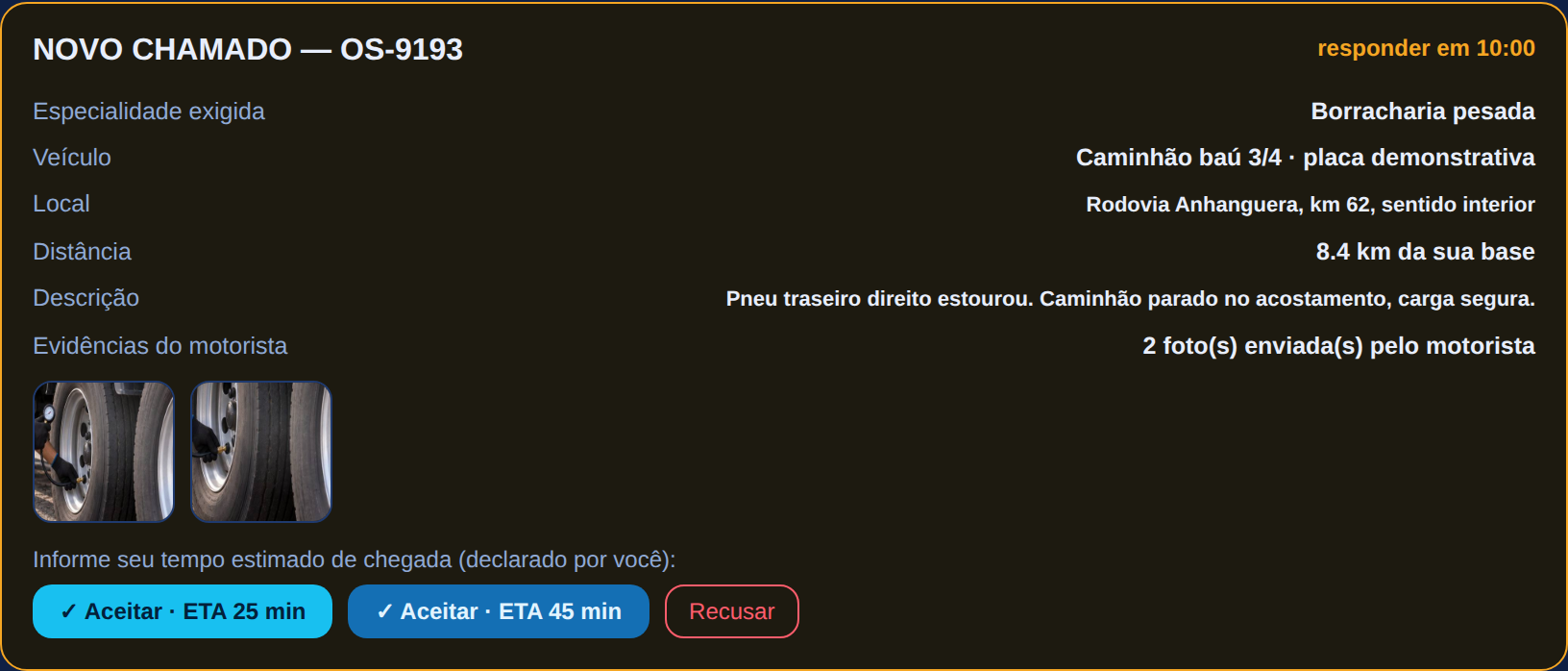
Dispatch and quote
The provider receives the complete call — vehicle, location, distance, description and evidence — and states the arrival time. On site, it assesses the problem and sends a quote before doing the work.
- Fleet rule
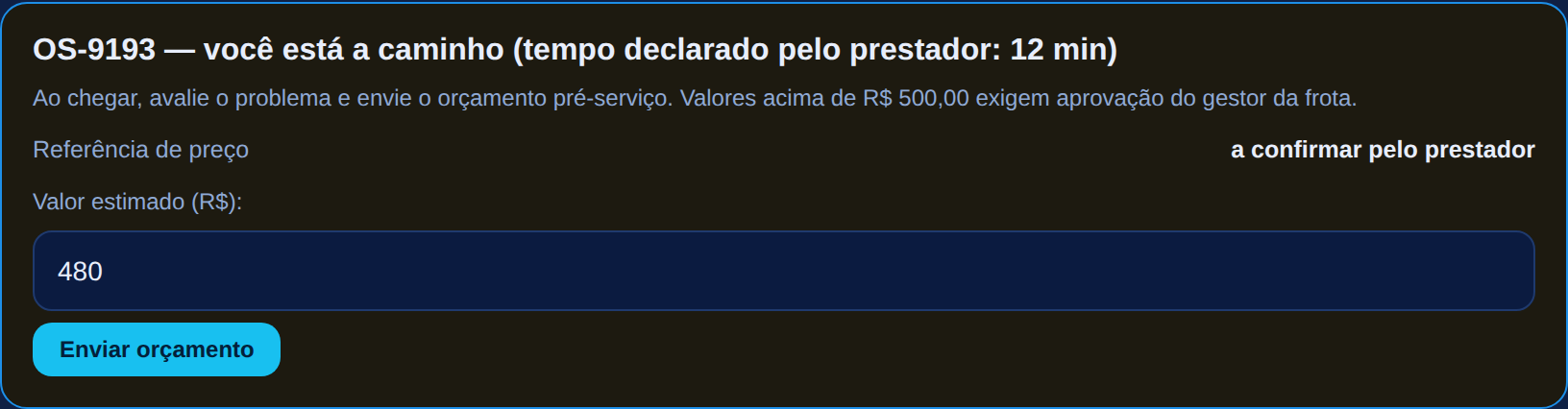
Authorisation by approval limit
Within the limit set by the fleet, approval is automatic and recorded. Above it, the manager approves or declines with one tap, with an audit trail. In the scenario, R$ 480 within a R$ 500 limit.
- Driver and manager
Execution and tracking
The driver follows the provider en route, estimated time and steps. The manager sees the incident in the fleet queue. The provider records the service report and the photos of the job.
- Incident dossier
Record
Service, diagnosis, execution, report, evidence from driver and provider, rating and every time-stamped event. In the demonstration, the financial closing is simulated.
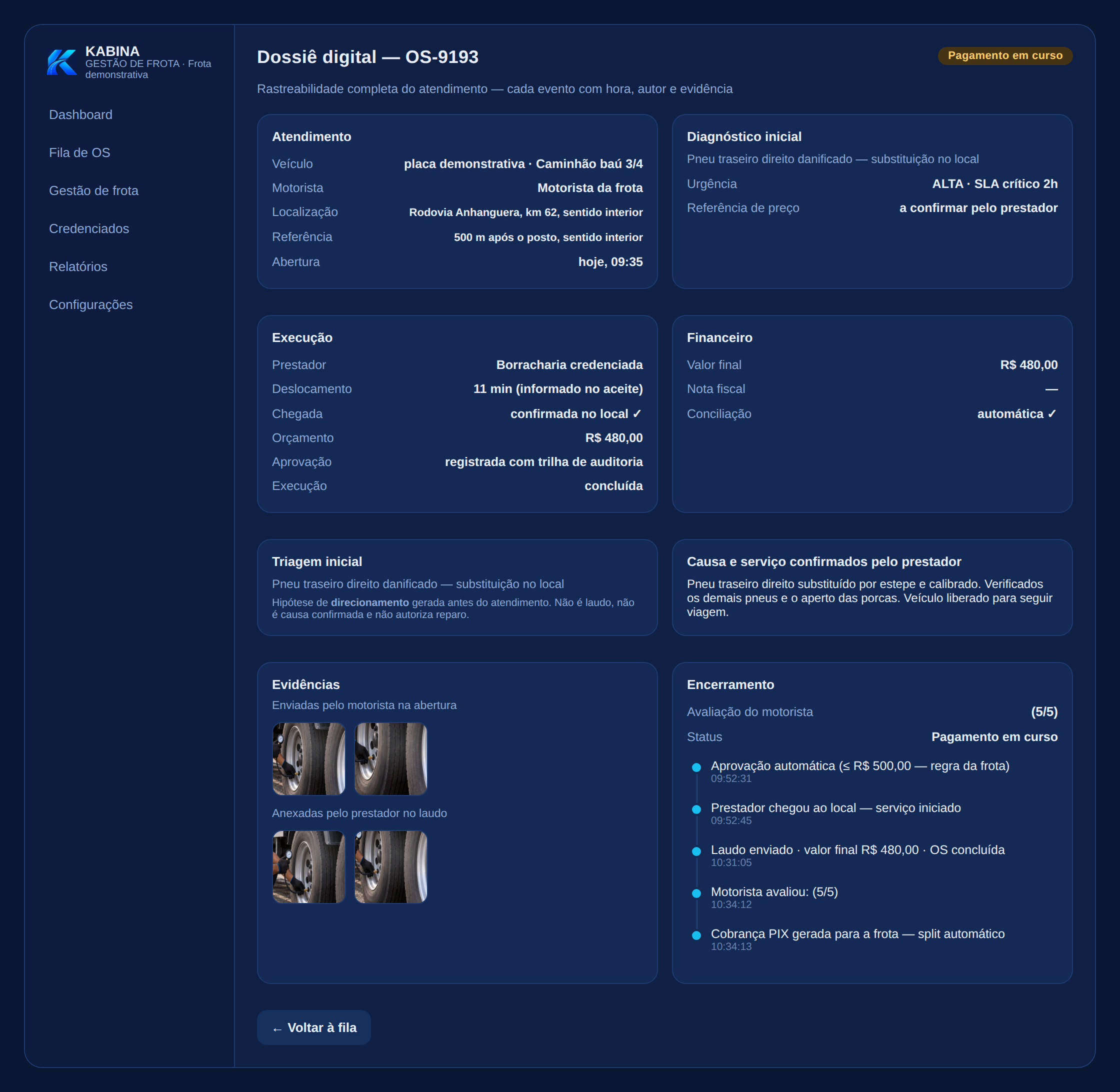


Product demonstration screens. Simulated data.
Before the next stop: the preventive action queue.
Recurrences in the same system, overdue services, downtime hours and vehicle signals enter a queue ordered by criticality, operational impact and deadline. Each item carries the evidence and the recommended action. In the demonstration, the data is simulated and the screen says so.

Product demonstration screens. Simulated data.
Demonstrated, in development, planned.
Demonstrated in the navigable demonstration
- Driver, manager and provider journeys
- Initial triage and dispatch by qualification and proximity
- Quote with approval limit and audit trail
- Service report, evidence and incident dossier
- Preventive panel with simulated data
- Simulated financial closing
In development
- Product with technology partner
- Driver channel on WhatsApp
- Provider app
- Network of accredited providers
- Operational tests with fleets (after Fenatran, planned)
Planned
- Provider payment through the platform, settlement and reconciliation
- Integrated tax invoicing
- Integrations with telematics and fleet systems
- Aggregated insights for partners, with authorisation
- Commercial operation (H1 2027, planned)
Want to see the demonstration with your operation in mind?
Fleets interested in the operational tests and providers who want to join the network can talk to the team.